Imou Life App: Enhance Home Security with AI-Powered Alerts
In today’s fast-paced world, home security and convenience are more critical than ever. Whether you’re at home or away, having control over your security system is a must. With the advancement of smart IoT products, we now have the ability to manage and monitor our homes remotely, ensuring that we always stay connected and in control. One such innovative solution is the Imou Life App, which provides a secure, simple, and smart way to manage all your Imou devices, including cameras, doorbells, sensors, NVRs, and more.
This comprehensive guide will walk you through everything you need to know about the Imou Life App, from setup and installation to advanced features that make home security smarter and more efficient. Whether you’re new to smart home products or a seasoned user, this article will help you get the most out of the Imou Life App.
What Is Imou Life App?
The Imou Life App is a user-friendly mobile application designed for managing Imou's IoT security devices. Imou is a trusted brand known for its range of smart products, including surveillance cameras, doorbells, sensors, and network video recorders (NVRs). The Imou Life App acts as a central hub, enabling users to remotely control and monitor all their Imou devices from their smartphones or tablets.
The app is compatible with both iOS and Android devices, making it accessible to a wide range of users. With its intuitive design, the Imou Life App aims to offer a seamless experience for anyone looking to improve their home security with smart technology.
Key Features of the Imou Life App
Imou Life is packed with a wide range of features that help you stay connected to your home security system, ensuring that you can monitor and manage your devices with ease. Let’s take a closer look at the app’s most important features:
1. Remote View and Control
Watch Live or Recorded Playback: One of the core features of the Imou Life App is the ability to view live footage from your cameras or review recorded videos. Whether you're monitoring your front door, backyard, or entire home, the app allows you to access your cameras from anywhere in the world. This remote monitoring gives you peace of mind, knowing you can check in on your property at any time.
Two-Way Communication: The app also supports real-time, two-way audio communication. This means you can not only hear what’s happening around your cameras but also speak to people on the other side. This feature is particularly useful when you’re using an Imou smart doorbell or camera to interact with visitors, delivery personnel, or even warn off intruders.
Built-in Siren and Spotlight: For added security, the Imou Life App allows you to activate the built-in siren or spotlight on your devices. This can be a great deterrent for intruders, alerting them that they are being watched and potentially preventing criminal activity before it escalates.
2. Intelligent Alerts
Instant Alerts: The app sends you instant notifications whenever something happens in or around your home. Whether it's movement detected by a camera or someone pressing the doorbell, you’ll be the first to know. This feature ensures that you can take action quickly, whether it’s responding to a visitor or addressing a potential security threat.
AI Human Detection: One of the standout features of the Imou Life App is its use of AI human detection technology. This intelligent alert system ensures that you only receive relevant notifications. For example, the app can distinguish between human movement and other types of motion, such as animals or environmental factors, helping to reduce false alerts and ensure that your security system remains efficient.
Custom Alert Scheduling: Not every movement needs to trigger an alert. The app allows you to set custom schedules for alerts, ensuring that you receive notifications only when necessary. Whether you want to be alerted during specific hours or only when specific motion is detected, the app gives you the flexibility to tailor alerts to your needs.
3. Enhanced Security and Privacy
GDPR Compliance: Imou Life takes user privacy seriously. The app is fully compliant with GDPR regulations, ensuring that your personal data is handled securely and responsibly. This is especially important when it comes to home security, where privacy concerns are paramount.
Encrypted Audio and Video: The audio and video streams captured by your Imou devices are encrypted to protect your data from unauthorized access. This end-to-end encryption ensures that your security footage remains secure, whether it’s stored in the cloud or streamed to your mobile device.
Cloud Storage: One of the significant advantages of the Imou Life App is its cloud storage option. By storing your video footage in the cloud, you can access it anytime, even if your physical device is lost or damaged. This feature provides an extra layer of security, ensuring that your recordings are safe and accessible even if the worst happens.
4. Easy Sharing
Share Device Access: The Imou Life App allows you to share access to your devices with friends and family. Whether you want to give a family member or a trusted neighbor access to your security cameras, the app makes it simple to invite others to view the footage or control the devices.
Custom Permissions: You can also set custom permissions for each person you share access with. This ensures that you maintain control over who can do what with your security system. For example, you can allow a user to view live footage but prevent them from adjusting camera settings or accessing recorded videos.
Share Video Clips: The app makes it easy to share video clips with others. Whether you want to share an important security event or a memorable moment captured by your camera, you can send video clips directly through the app to friends, family, or even your social media accounts.
How to Get Started with Imou Life App?
Getting started with the Imou Life App is simple. Follow these steps to set up your devices and start enjoying the full benefits of the app:
Step 1: Download the Imou Life App
For iOS users: Visit the App Store, search for "Imou Life", and click "Download."
For Android users: Go to the Google Play Store, search for "Imou Life", and tap "Install."
Step 2: Create an Account
After downloading the app, you’ll need to create a user account. This will allow you to store your device settings and videos securely, as well as manage your devices remotely. Simply follow the prompts to sign up with your email address.
Step 3: Add Devices
Once your account is set up, you can start adding your Imou devices to the app. The process is straightforward and typically involves scanning a QR code on your Imou device or manually entering the device’s serial number. The app will guide you through the setup process.
Step 4: Configure Settings
After your devices are added, you can configure them according to your preferences. This includes setting up alerts, adjusting video quality, and enabling or disabling features such as two-way audio or the siren.
Step 5: Start Monitoring and Controlling Your Devices
Once your devices are configured, you can begin using the app to monitor your security cameras, receive alerts, and communicate with visitors or family members.
Why You Should Use Imou Life App for Your Home Security?
With so many smart security systems available today, what sets Imou Life apart from the competition? Here are a few reasons why you should consider using the Imou Life App:
Comprehensive Security Solution: Imou Life allows you to manage a variety of devices in one app, including cameras, sensors, doorbells, and NVRs. This all-in-one approach makes it easier to keep track of your home’s security.
Smart and Intelligent Features: Thanks to AI-powered human detection, encrypted transmissions, and customizable alerts, the app offers a smart and user-centric experience that prioritizes your security and convenience.
Remote Access and Control: Whether you're at work, on vacation, or simply away from home, the Imou Life App allows you to monitor and control your devices in real-time, providing an added layer of security and peace of mind.
Privacy and Security: With GDPR compliance, encrypted data streams, and cloud storage, you can trust that your privacy and data are handled responsibly and securely.
Easy Setup and User Experience: The app’s intuitive interface and simple setup process make it easy for anyone, even those new to smart home technology, to get started and enjoy the benefits of a connected, secure home.
Frequently Asked Questions (FAQs)
1. What is the Imou Life App?
The Imou Life App is a mobile application designed to manage and control Imou smart security devices, including cameras, doorbells, sensors, and NVRs. It allows you to monitor live footage, receive alerts, communicate with visitors, and more from your smartphone or tablet.
2. How do I install the Imou Life App?
For iOS users: Go to the App Store, search for Imou Life, and tap Download.
For Android users: Open the Google Play Store, search for Imou Life, and press Install.
3. How do I create an account on the Imou Life App?
After downloading the app, open it and click on Sign Up. You’ll be asked to enter your email address and create a password. Once your account is created, you can log in to start adding and managing your devices.
4. Can I use the Imou Life App to view live footage from my camera?
Yes! The app allows you to view live footage from your Imou cameras, whether you’re at home or on the go. You can access this in real-time, anytime you want.
5. How do I share device access with others?
To share access, go to the Device Settings in the app, select the device you want to share, and choose the option to Invite a friend. You can set specific permissions for each user, allowing them to view footage or control the device as needed.
6. What is AI human detection and how does it work?
AI human detection is a feature that uses artificial intelligence to distinguish between human motion and other types of movement, such as animals or cars. This helps to reduce false alerts, ensuring that you only get notifications for important events.
7. Is my data secure in the Imou Life App?
Yes, Imou Life prioritizes your privacy and security. The app uses encrypted video and audio transmission and complies with GDPR regulations to protect your personal data. Additionally, video footage can be stored securely in the cloud.
8. Can I store video footage in the cloud?
Yes, the Imou Life App offers cloud storage for your video footage. This means you can access your recordings anytime, even if your device is lost or damaged.
9. Can I control my devices remotely?
Yes, the Imou Life App allows you to remotely control your devices. You can adjust settings, turn on the siren or spotlight, or view live footage from anywhere, as long as you have an internet connection.
10. How do I set up alerts on the Imou Life App?
To set up alerts, go to the Alert Settings in the app. You can choose when and how you want to be notified, such as motion detection, doorbell presses, or other events. You can also set custom schedules to control when alerts are sent.
11. Is the Imou Life App compatible with both Android and iOS devices?
Yes, the Imou Life App is available for both Android and iOS devices. You can download it from the Google Play Store or Apple App Store, depending on your device.
12. What should I do if I have trouble setting up my Imou device?
If you encounter issues, check the user manual or follow the setup instructions provided in the app. If the problem persists, you can reach out to Imou’s customer support for assistance. They are available to help with troubleshooting and setup.
13. Can I access the Imou Life App without an internet connection?
While you can use the app offline to view previously stored footage, a stable internet connection is required for real-time viewing, receiving alerts, and controlling your devices remotely.
14. How do I update the Imou Life App?
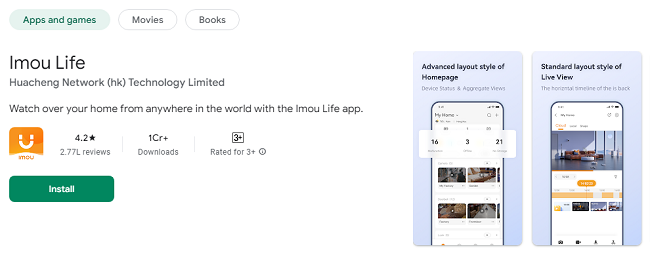
The app will notify you when an update is available. You can also manually update it by visiting the App Store (iOS) or Google Play Store (Android), searching for Imou Life, and tapping Update.
15. Can I integrate Imou Life with other smart home systems?
Currently, Imou Life is designed specifically for Imou devices, and there may be limited integration with other smart home platforms. However, it is always worth checking for updates or new features that could improve integration in the future.
Conclusion
The Imou Life App is an essential tool for anyone looking to enhance their home security with smart technology. By providing remote monitoring, intelligent alerts, robust security features, and easy sharing options, the app helps you create a safe, convenient, and connected home. Whether you're using Imou cameras, doorbells, or sensors, this app offers a seamless and effective way to manage all your devices in one place.
Download the Imou Life App today and take the first step toward a smarter, more secure home!
Updates